
1. Locate your solar circuit breakers. These will either be located on your main electrical panel or it's own sub-panel near the rest of the ground-accessible solar equipment. Common labels include "Photovoltaic/PV System" or "PV Solar Breaker".
2. Turn the solar breaker off for 15 seconds and then back on, making sure it's fully switched on and not in a tripped position. If there are multiple sub-breakers for separate arrays (common for residences with panels on more than one roof of the house), repeat for each switch.
3. Locate the solar AC Disconnect switch (also called "Photovoltaic System Disconnect"). This is commonly located in the garage or outside of the house (near the energy meter and/or solar sub-panel, if you have one ).
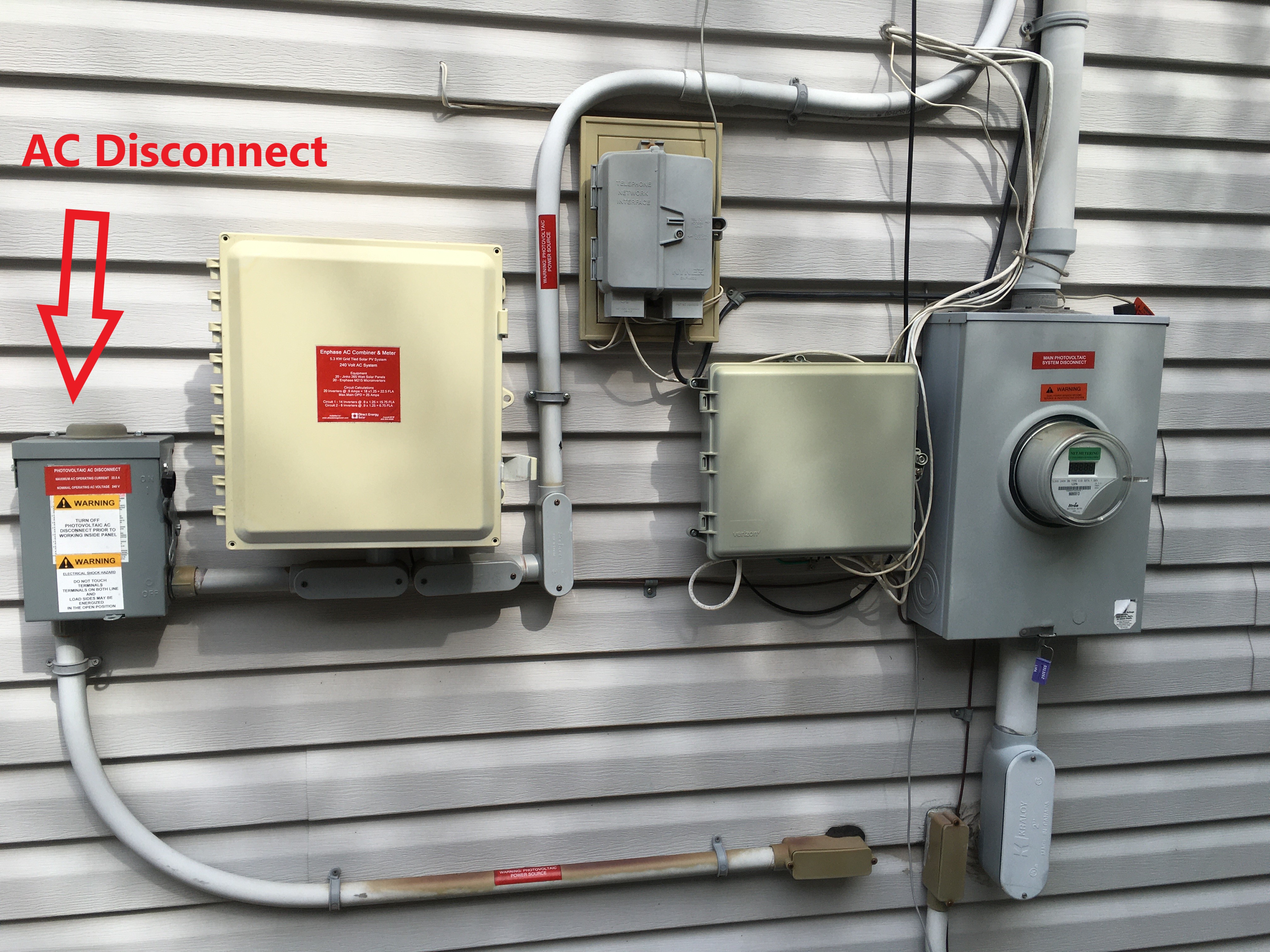
4. Turn the AC Disconnect off by pulling the large lever down. Leave for 30 seconds then pull the lever up to turn the system back on.
5. Wait 48 hours for the microinverters to begin reporting again. If normal solar system function does not resume after 48 hours, call or email Omnidian Technical Support for further assistance.
If your microinverters are consistently having trouble communicating with your Envoy monitoring device, you might also reference Enphase's guide, "How can I improve communications between the Envoy and the microinverters?".
You can reach us at Omnidian directly via +1 (855) 685-1067 or support@omnidian.com. We are available Monday-Friday, 7:00 AM-5:00 PM PST (10:00 AM-8:00 PM EST), to coordinate service and monitor your solar system production data.
Comments
0 comments
Please sign in to leave a comment.